What does the Keyword Score Checker look at?
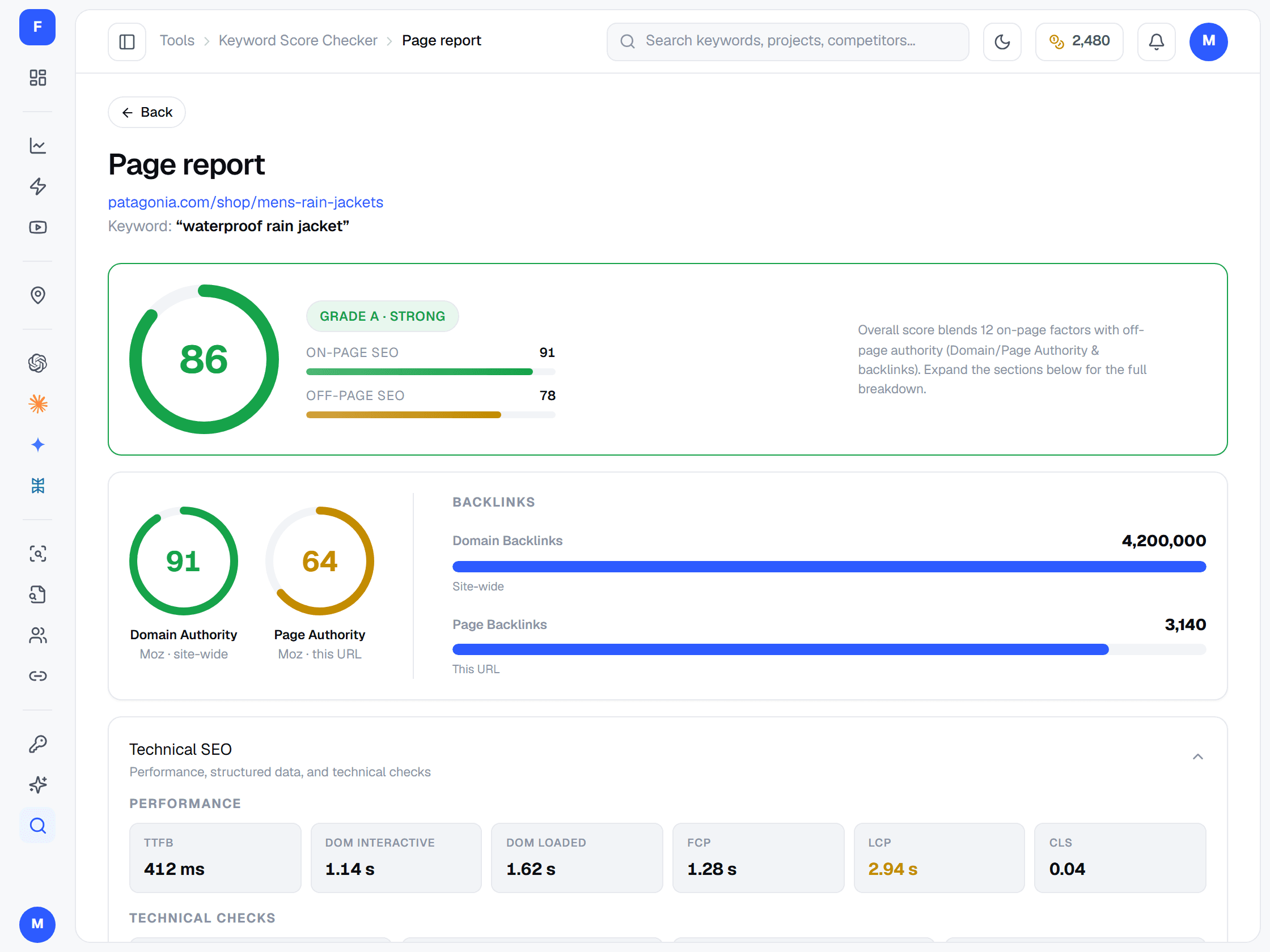
On-page, how well the URL, title, meta description, headings, content, image alt text, schema and internal links target your keyword. Off-page, the site's Domain Authority, the page's Page Authority and the backlinks behind both. Real page speed — TTFB, FCP, LCP and CLS — is measured too.
Is this the same as keyword difficulty?
No. Keyword difficulty estimates how hard a keyword is for anyone to rank for, judged from the pages already on page one. The Keyword Score grades your page for that keyword. Use difficulty — shown in the Keyword Research tool — to choose a keyword, and the score to check the page you built for it.
What is a good keyword score?
90 and above is A+ (excellent), 80 is A, 70 is B, 60 is C and 50 is D; below 50 is F. Off-page authority carries the larger share of the score, so a new site can have a well-optimised page and still score modestly — look at the on-page and off-page halves separately.
What makes a keyword hard to rank for?
Mostly the strength of the pages already ranking: how many different sites link to them and how authoritative their domains are. Results pages crowded with ads, maps, videos or answer boxes push organic links down, and high-volume, high-CPC terms attract the most competition.
How do I find keywords my page can rank for?
Go longer and more specific: long-tail phrases and questions usually face weaker pages. Filter keyword research by a difficulty ceiling, then compare your own authority with the pages already ranking before you commit.
Why do different tools give different scores?
Each tool uses its own link data, its own authority metric and its own formula, so scores are not comparable across tools. Compare scores within one tool, and watch how a page's score moves as you improve it.
Who should use it?
Writers checking a draft before it goes live, SEOs reviewing a page that is stuck on page two, and agencies that need a quick, explainable grade for a client page.
How is it different from Competitor Analysis?
Keyword Score looks only at your page and your keyword. Competitor Analysis puts your page beside the real top 10 for a tracked keyword.
Is there a free plan?
Yes. The free plan covers Google rank tracking with 100 credits every month, refilled automatically, with no credit card. Every other tool comes with any paid plan, from $19/month for 2,000 credits, or any credit pack.
Do I need a separate subscription for this tool?
No. Every FreeSERP tool draws from the same credit balance. The free plan's credits cover Google rank tracking; everything else — the SERP checker, site audits, competitor analysis, keyword research, the keyword score checker, internal link analysis, AEO & GEO audits and Google Maps audits — needs a paid plan or a credit pack.