INTERNAL LINK ANALYSIS
Internal Link Analysis
Crawl the domain and get your internal link structure drawn out — which pages are hubs, which hold authority, how deep everything sits from the homepage, and which pages nothing at all links to.
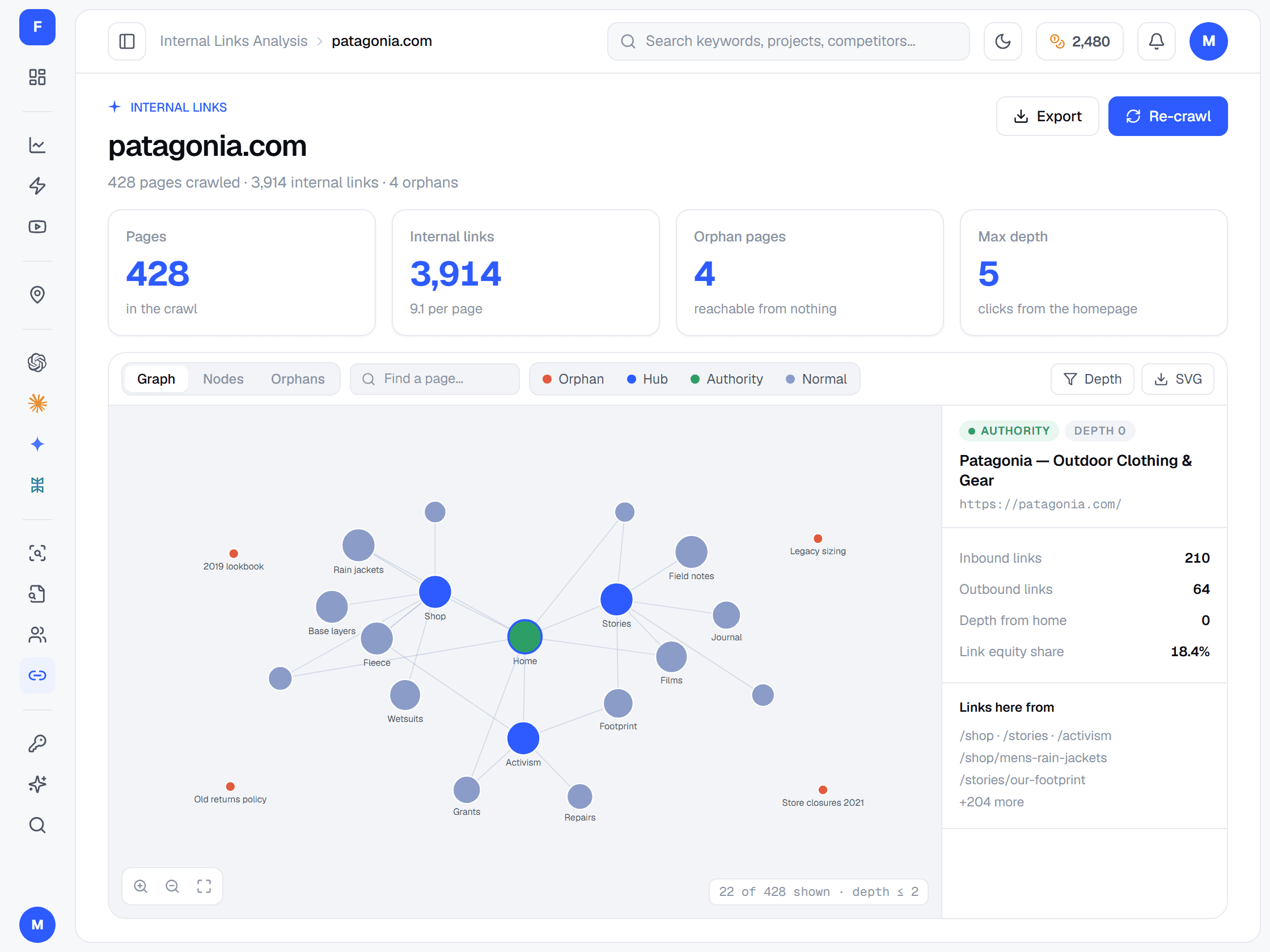
Crawl the domain and get your internal link structure drawn out — which pages are hubs, which hold authority, how deep everything sits from the homepage, and which pages nothing at all links to.
An interactive example of the results screen. Click, toggle and drag — it works like the real tool.
Open a finished analysis — the link graph, every page's inbound and outbound links, the hubs, the authorities and the orphan pages.
Example data showing the tool's results screen — opens in a new tab. Internal Link Analysis needs a paid plan or a credit pack.
FreeSERP crawls it and follows every internal link.
Your pages drawn as a node graph, with hubs and authority pages visible at a glance.
Orphan pages are named, and depth from the homepage shows what sits too far down — link to them from relevant, well-linked pages.
Links from one page of your site to another. Structural links — menus, footers, breadcrumbs, sidebars — appear on every page. Contextual links sit inside the content and tie related pages together. Both help search engines discover pages and understand which ones matter most.
A page that no other page on your site links to. Search engines and visitors struggle to reach it, so FreeSERP names every one it finds — including pages listed in your sitemap that no link points to.
Pages buried many clicks from the homepage tend to be crawled less often and receive less link equity. A common rule of thumb is to keep important pages within about three clicks. The analysis shows each page's depth so you can bring them closer.
Link equity is the ranking value that flows through links. Pages with many inbound links collect it, and pass it on through their own links. A hub — or pillar — page that links out to every article in its topic cluster, with each article linking back, keeps that value circulating where you want it.
There is no magic number. Each important page should be linked from several relevant pages, not just one — a page with a single inbound link is easy to orphan by accident. The per-page inbound counts show which pages are thinly supported.
Short, descriptive text that tells readers and search engines what the target page is about. Avoid vague phrases like "click here", and vary the wording naturally rather than repeating the same exact keyword on every link.
Links that point to redirected URLs or form redirect chains and loops, links to pages that return errors, plain HTTP links on an HTTPS site, and nofollow attributes on internal links. Each one wastes crawl time or link equity — point every link straight at the final, live HTTPS address.
Yes. The free plan covers Google rank tracking with 100 credits every month, refilled automatically, with no credit card. Every other tool comes with any paid plan, from $19/month for 2,000 credits, or any credit pack.
No. Every FreeSERP tool draws from the same credit balance. The free plan's credits cover Google rank tracking; everything else — the SERP checker, site audits, competitor analysis, keyword research, the keyword score checker, internal link analysis, AEO & GEO audits and Google Maps audits — needs a paid plan or a credit pack.
100 free credits every month for real-time Google rank tracking — for SEOs, marketers, and developers. Plans from $19/month add competitor intelligence and every other tool, paid for out of one balance.
Start Tracking for Free →